
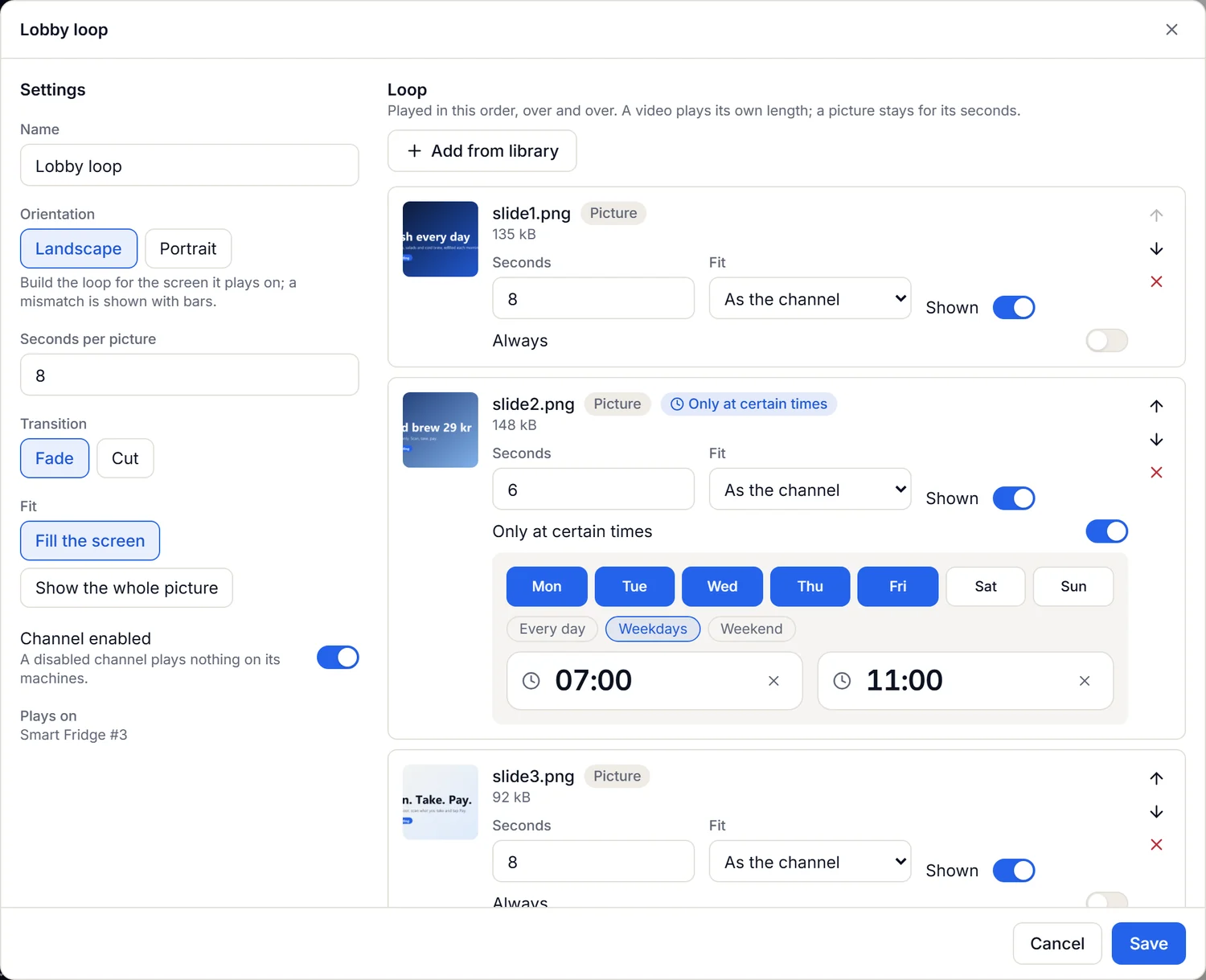
Digital signage
Pictures and video on your machines
Build a loop of pictures and videos in the portal, give it a schedule and put it on a machine. The terminal keeps the files, so the loop plays even when the network does not.
Unattended commerce, managed
Smiling Effect is the platform for vending machines, coffee machines, smart fridges, lockers and micro markets. The machine sells, the Cloud keeps count of money, tax, stock and service, and neither depends on a single supplier of hardware.
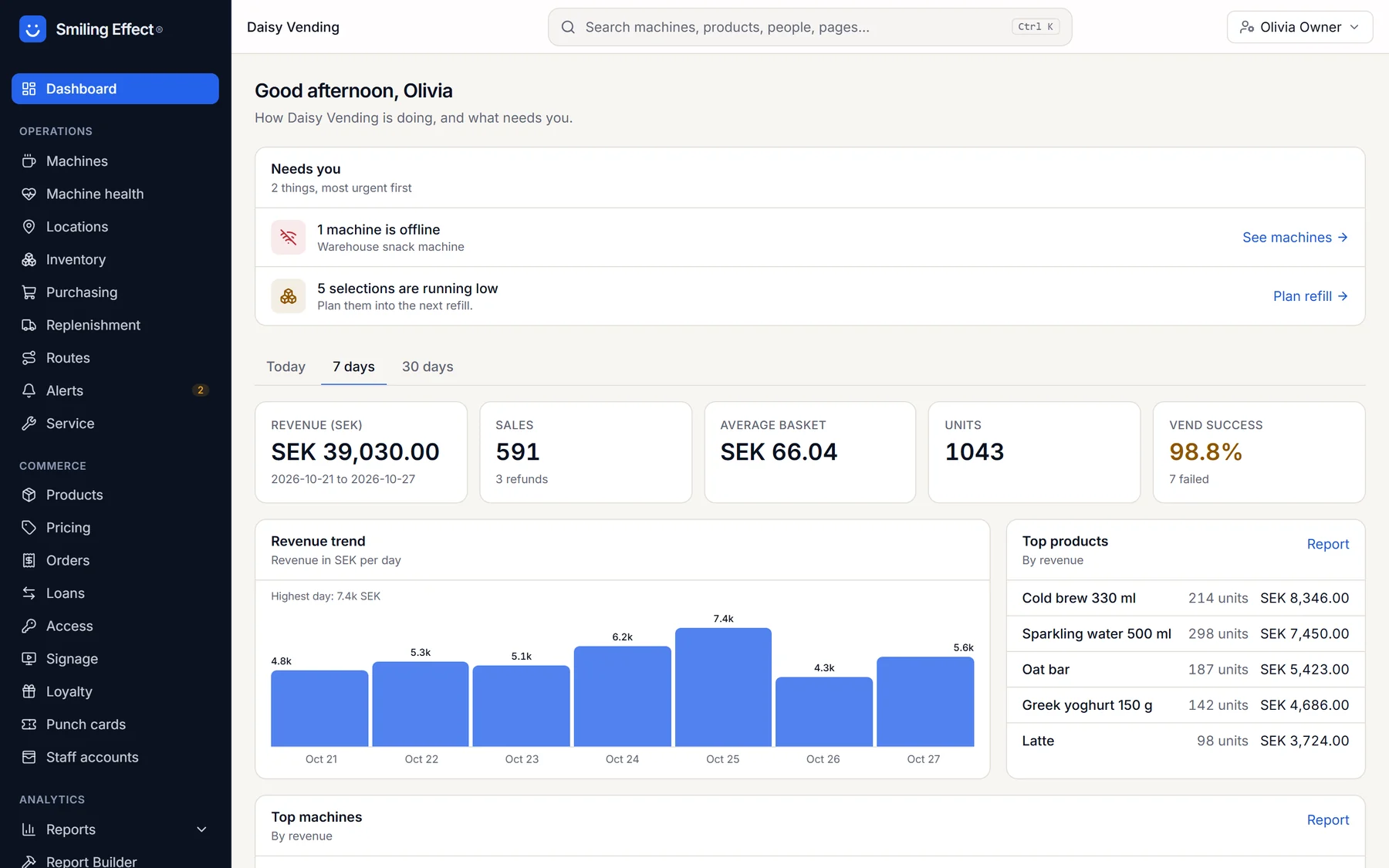
Screens from the apps, with demo data
Six things that stay true however many machines you run, in however many countries.
Vending, coffee, fridges, lockers and kiosks share one catalog, one price list, one stock and one set of reports. A new machine type is data, not a project.
Every amount is whole minor units, never decimals. Tax is looked up as it was on the day of the sale and frozen on the receipt, so last year never changes.
The machine decides locally and reports afterwards. Messages are de-duplicated, so a retry never deducts stock twice or books a sale twice.
Payment terminals, machine protocols and payment providers sit behind adapters. Swap a terminal or move the backend to another server without rewriting a transaction.
Each organization is walled off from the others, with a database-level backstop. Secrets are write-only, codes are stored hashed and nothing holds card numbers.
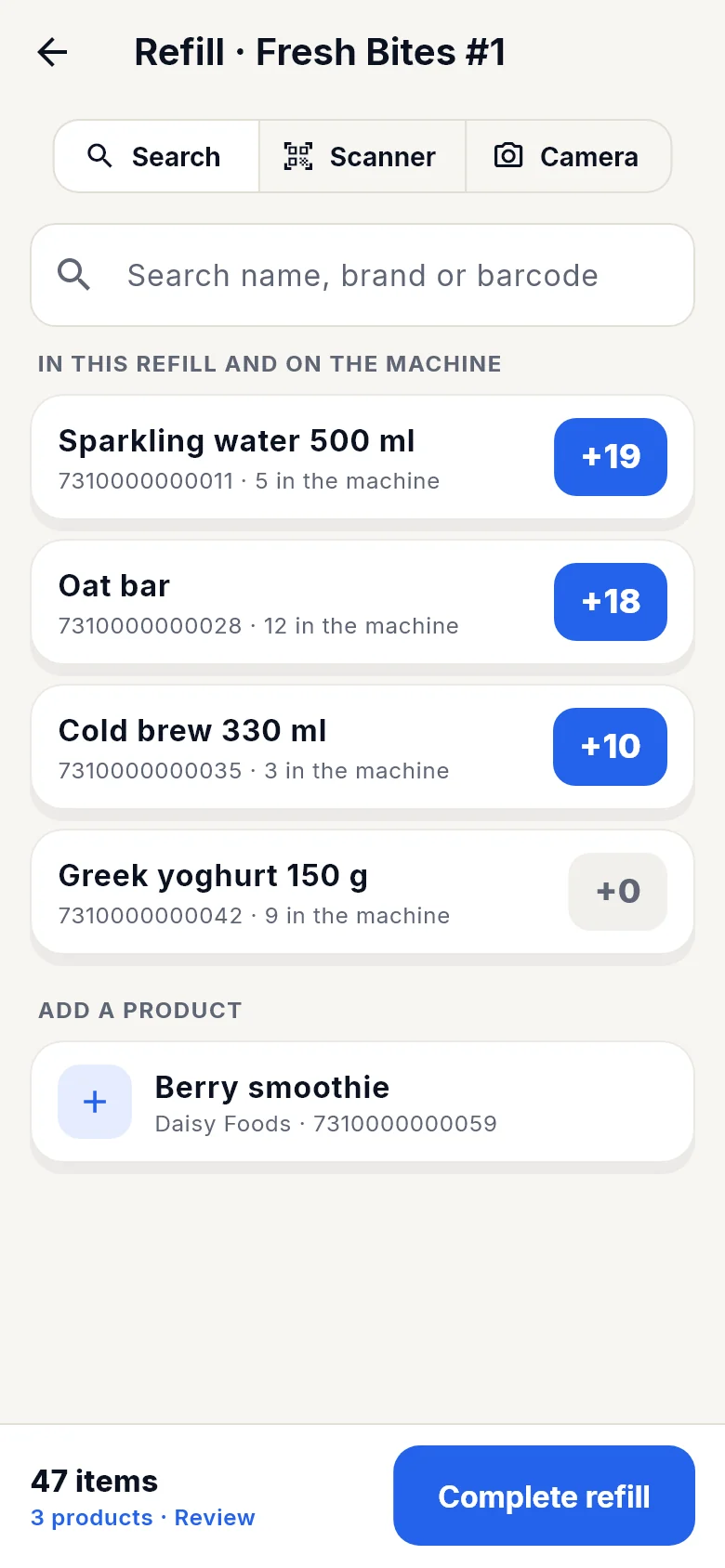
A phone app for pick lists, refills and service, with work that can be done offline and applied in order. Faults arrive as alerts and tickets, not as phone calls.
The mode is the first choice you make for a machine. It decides which devices the installation has, what each one does and which screen it shows. Nothing is set on the device: the technician installs the app and types a pairing code.
Vending
The customer picks a product with the machine’s own buttons and pays by card or phone. A branded welcome screen invites them, and the device authorizes and records the sale. Optionally the device owns the selection and tells the machine to dispense.
A good fit for: Classic vending and coffee machines with a standard payment interface.
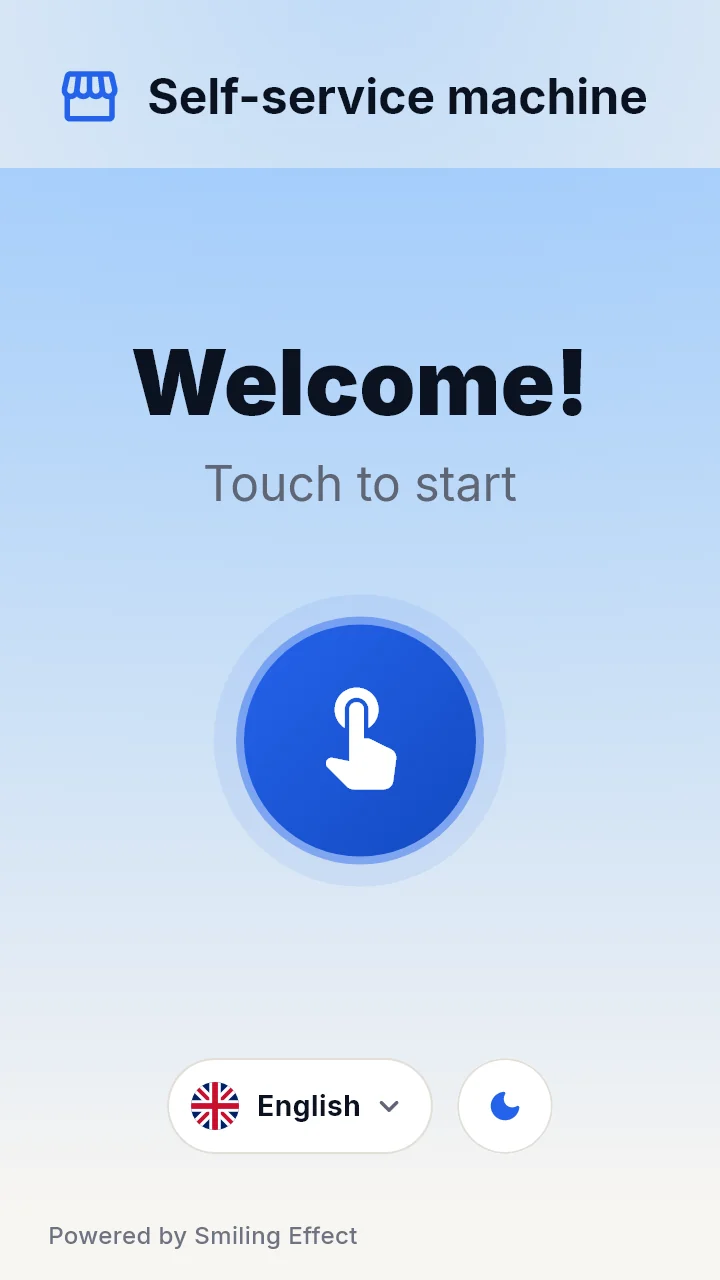
Screens from the apps, with demo data
Everything is set up in the Cloud. The device only needs to be told who it is.
Pick a machine type, a location and a mode. Tax, currency and time zone follow the location. Products, prices and slots come from your catalog.
Install Smile Device, type the pairing code. The device receives its role, its payment setup and its screen from the Cloud. There is nothing to configure on site.
The customer pays; the device records the sale and sends it. The Cloud prices it, applies tax as of that moment, deducts stock once and issues the receipt.
Alerts, refill lists, service tickets, reports and bookkeeping follow from the same records. What the Cloud wants and what the machine reports are always shown side by side.
Each part does one job and talks to the others through versioned contracts.
Machines, products, prices, stock, people, tax, accounting and reports. The single source of truth for money.
The app on the terminal. Handles payment, identification, the customer screen and the connection to the machine, and keeps working offline.
The phone app for routes, pick lists, refills and service, with an assistant that helps you ask the platform questions.
A small unit that reads the machine’s audit data and reports it, for machines that do not need a payment terminal.
Virtual machines that speak the real protocols, so every flow can be tried and tested without touching hardware.
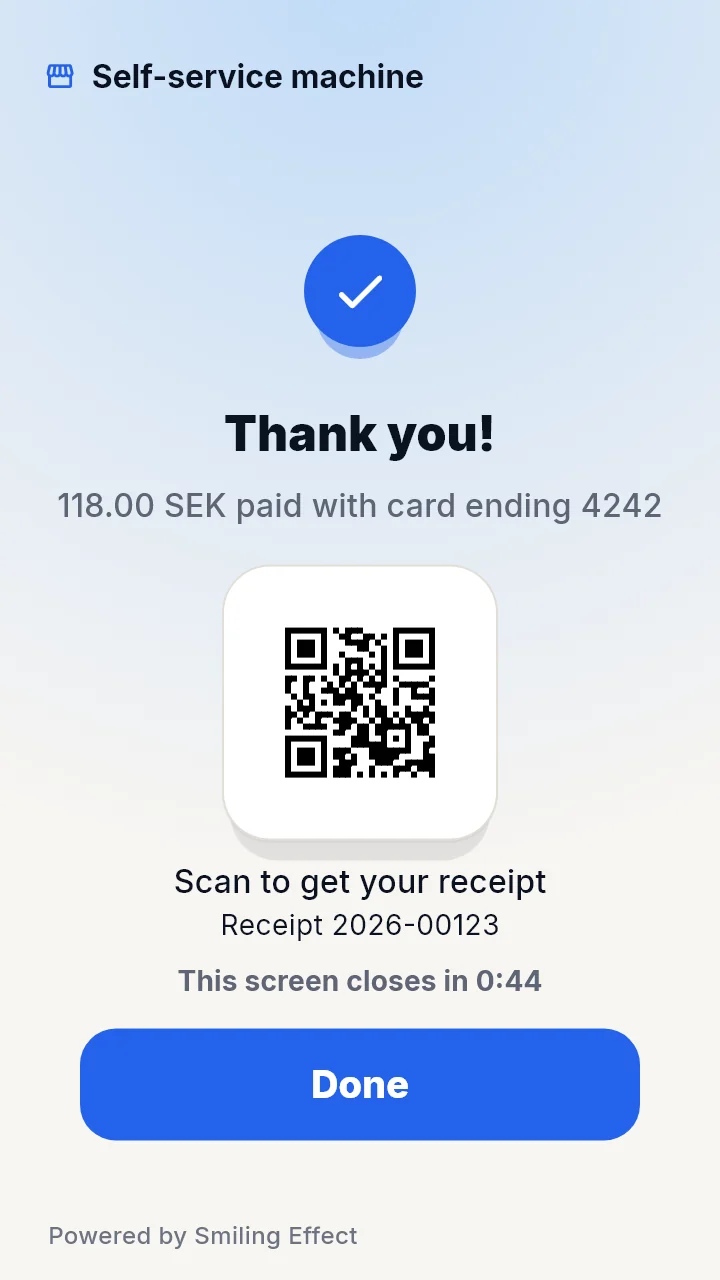
Screens from the apps, with demo data
The core is always on. Optional modules are switched on per organization.
Locations, machine types with slots, a product catalog with pictures, and a shared catalog of product facts.
Price lists, promotions and a tax engine where rates are data with dates, for any country.
Stock as an event log, forecasts you can read, orders, pick lists and refills that move stock exactly once.
Card and phone payment through providers you configure per machine. Terminal communication stays on the device.
Tags, badges and codes that give free, test, service or discounted purchases, with limits and an audit trail.
A receipt from every sale, shown as a QR code and a page, with the legal fields of the country it was sold in.
Rules and thresholds for offline machines, low stock, temperature and faults, with email and Teams.
A journal built from sales, rules for accounts and a SIE export for your bookkeeping.
Sales, stock, machine health and more, every one exportable as CSV.
Permissions rather than fixed roles, single sign-on and an audit log of who did what.
Modules are chosen per organization, so you only see and pay for what you use.
Pictures and videos on idle screens and on a second display, scheduled per machine.
An assistant that answers with your own data, within your permissions, and proposes drafts that a person approves.
Stamp cards and prepaid cards that customers buy and use at the machine.
Employees buy on account; the operator invoices them from a closed pay period.
Rent and pickups with a page for each locker.
Plan the day for the people who refill and service.
Faults become tickets by themselves, with a help page behind a QR code on the machine.
Build and save your own reports from the same data.
API keys scoped to one customer, webhooks and directory sync.
What is new in the platform, in the order it arrived.
Build a loop of pictures and videos in the portal, give it a schedule and put it on a machine. The terminal keeps the files, so the loop plays even when the network does not.
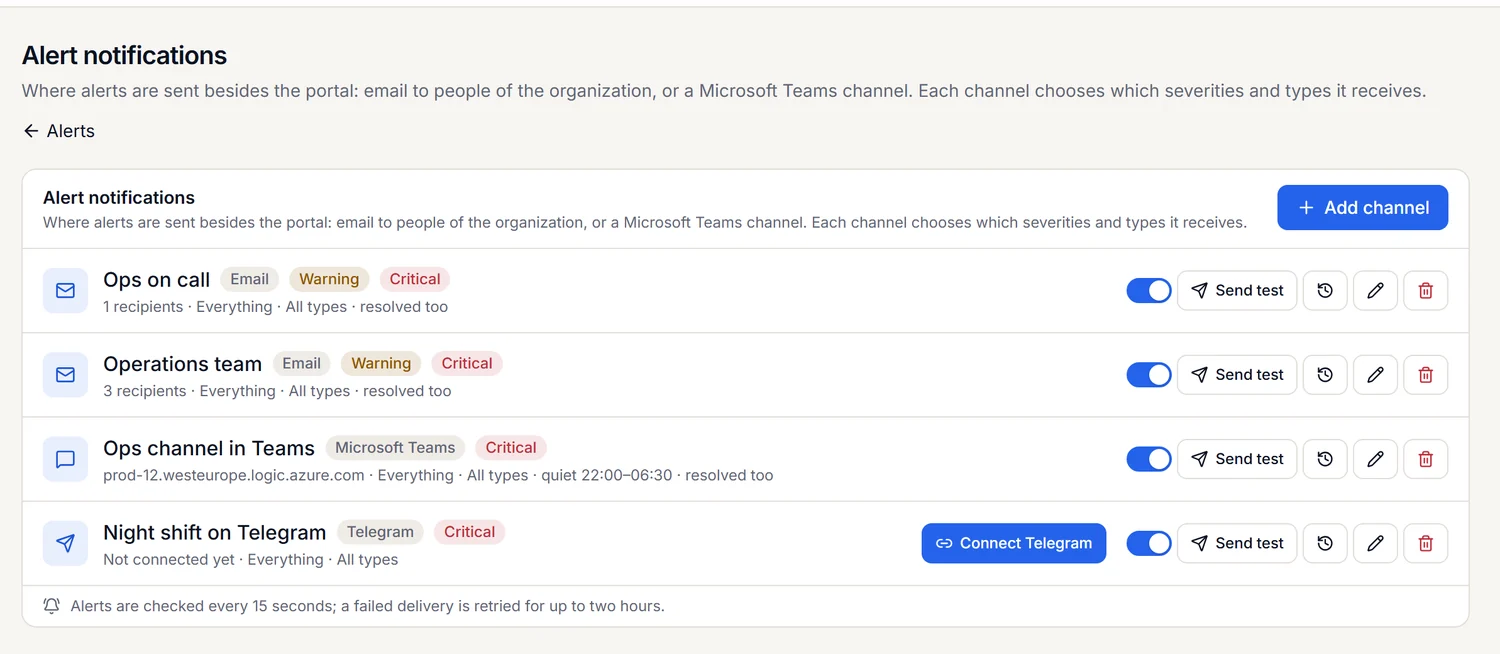
Send alerts by email, to a Microsoft Teams channel or to Telegram, with quiet hours and a test button, so a machine that goes offline reaches the right person.
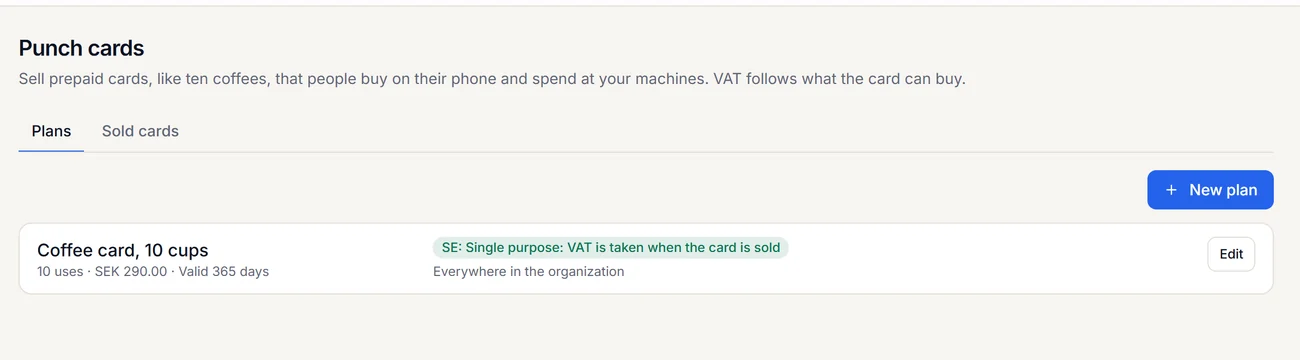
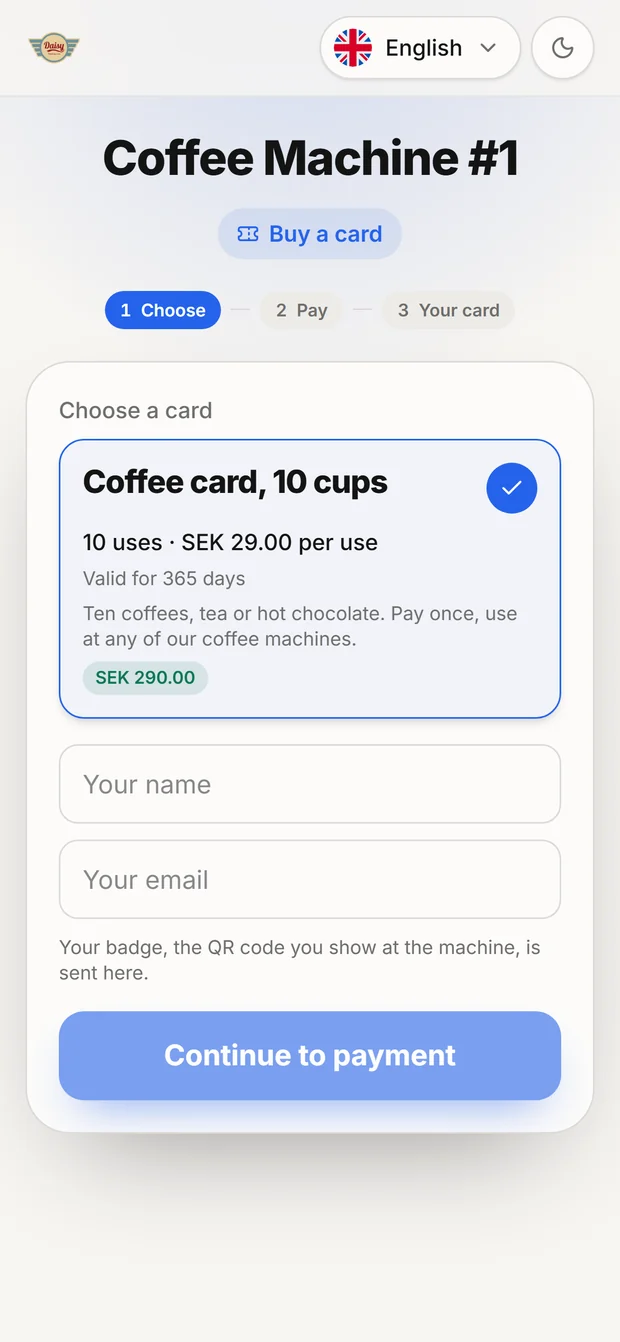
Sell cards like ten coffees. Customers scan a QR code on the machine, pick a card and pay on their phone, and the card works where you choose. Anything unused can be refunded.